

Experiment: Enabling WebLLM on Ubuntu 22.04
An interesting way of harnessing the power of LLMs

Large Language Models (LLMs) promise to entirely change the way we interact with technology. It opens up a new interface between man and machine that is natural and intuitive. There are of course a lot of rough edges that still need to be sanded off for this technology to work seamlessly in our daily lives, much like any revolutionary technology in the past.
One of those “rough edges” is that LLMs being large, as its name suggests, are mostly being run by big tech companies such as OpenAI and Google on their massive server farms and exposed to the public via APIs. As a result, you would have to continuously send your queries/data to these companies in order to interact with their LLMs. This means that 1) there is a potential loss of data privacy and 2) a lot of network costs are incurred.
To be fair, the LLMs (or rather multimodal foundation models) are large for a reason and the big tech models often push the frontiers of what is possible. But what if you had a smaller use case? What if you wanted to incorporate it into a web portal? What if you were desperately concerned about your data privacy?
Well, two things work in your favour. Firstly, LLMs are getting increasing capable with new training techniques as well as over-training. As a result, a 2 billion parameter model like Gemma2 2-b is pretty capable already. Secondly, there is a framework called WebLLM that uses WebGPU to tap on your local GPU’s power to run LLMs locally!
In this post, I’ll be trying to enable it for myself on my desktop. Note that you do need a machine with a GPU. Tried it on my 4-5 year old laptop and didn’t work. I believe it should work on Macs with ARM-based chips, but I can’t be sure. If you’re still interested, read on…
Pre-requisites
You will need Chrome for this if you are on Ubuntu. Firefox is not supported yet. See list of supported browsers here.
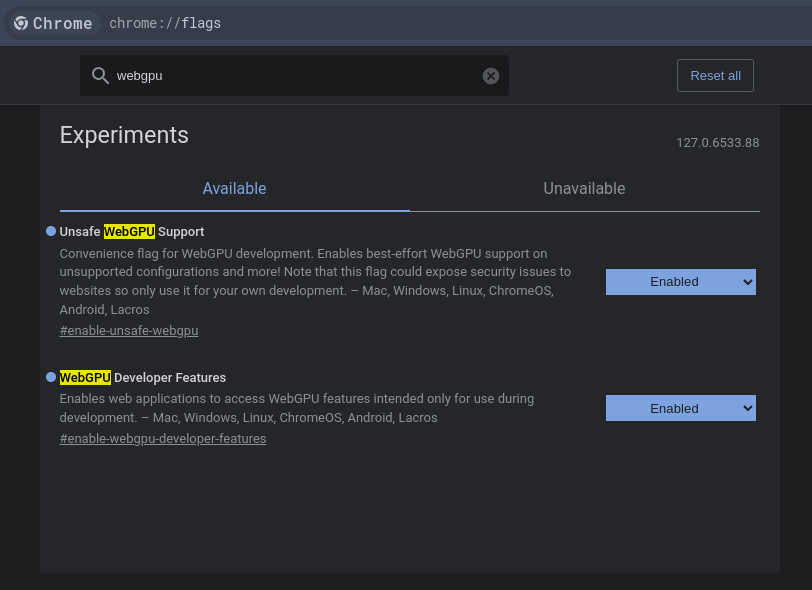
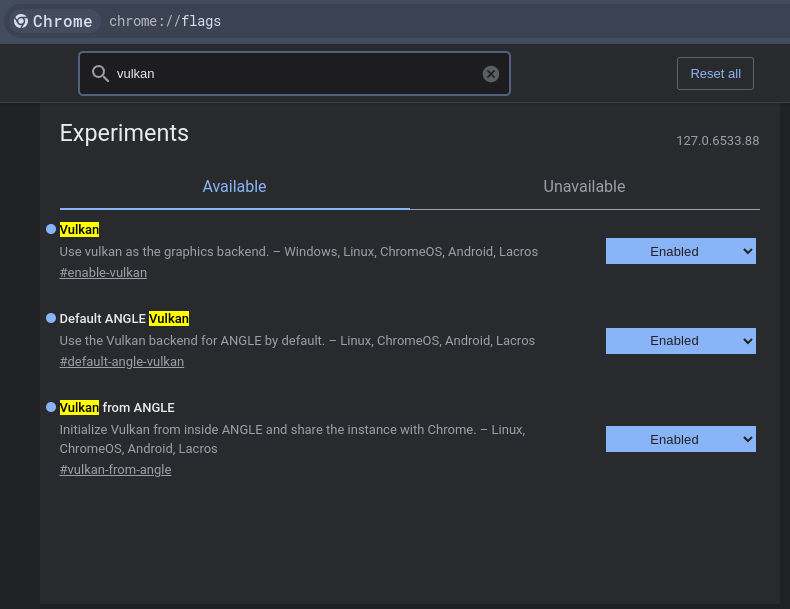
Step 1: Enable webgpu and vulkan support
Go to
chrome://flagsSearch for
WebGPUand enable both featuresSearch for
Vulkanand just enable everything
Took me a bit of searching to figure these steps out. Somehow people just assume that WebGPU should work out of the box, which didn’t for me. Kept running into errors of the browser not being able to acquire access to the GPU even though my machine is WebGPU-capable.
Step 2: Clone WebLLM demos
Clone WebLLM git repo so that we can quickly test using the examples.
git clone https://github.com/mlc-ai/web-llm.gitStep 3: Run a simple chat example
Here we run the simplest chat example in web-llm/examples/simple-chat-js using Python.
cd <path_to_webllm_repo>/examples/simple-chat-js && python3 -m http.server 8080Navigate to localhost:8080 in your Chrome browser.
Step 4: Start playing!
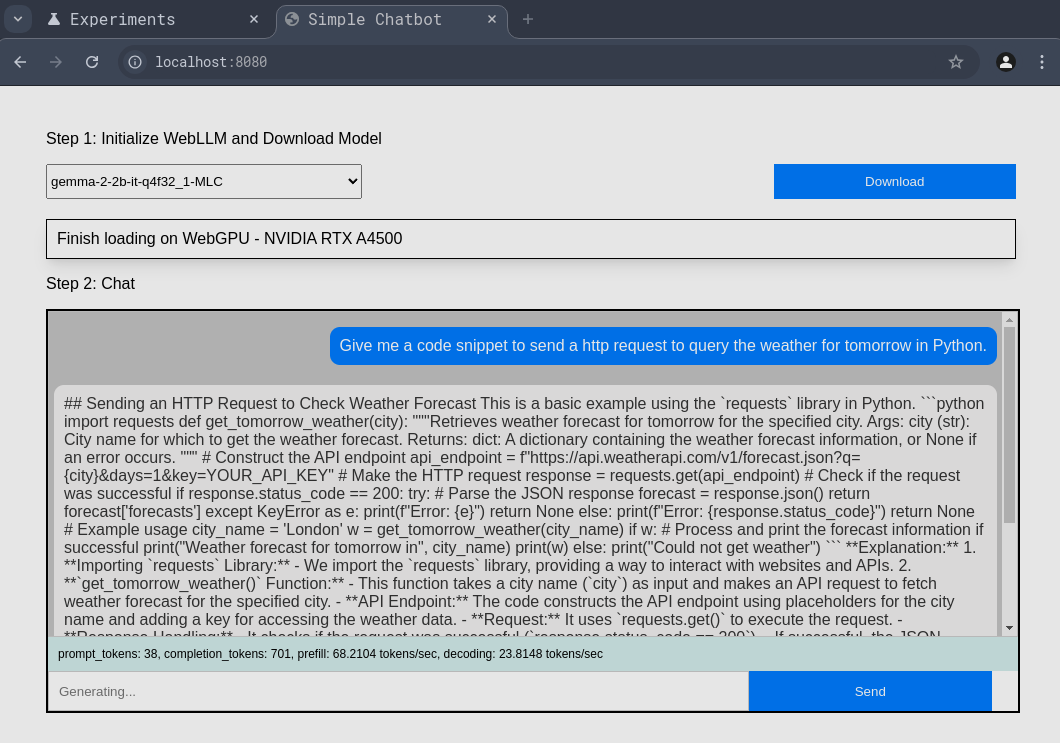
You will see a screen that looks like the one below. The first thing you do is you choose a model you want to load (there are many) and click “Download”.
This will download the model and load it onto your GPU. The first run takes a while to get started. Subsequent runs will use the cached model parameters.
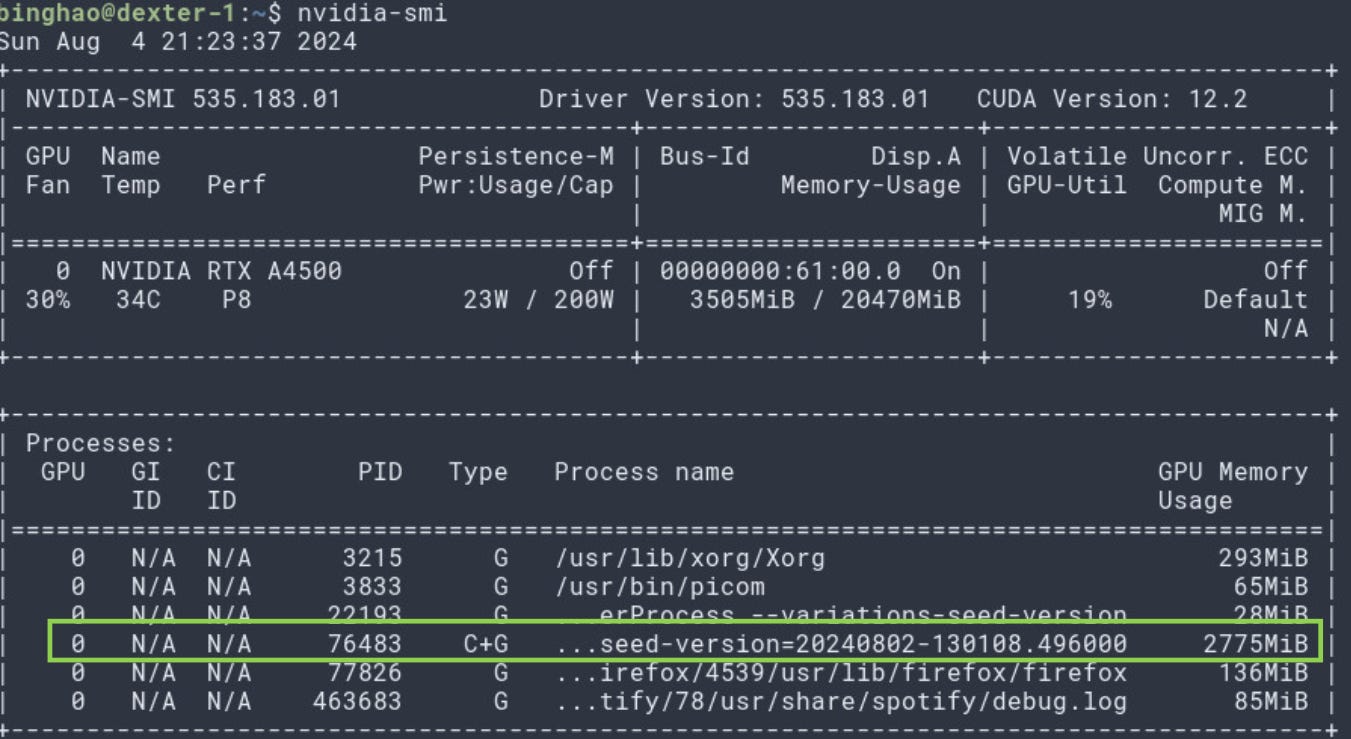
As you can see, the model is indeed loaded into my GPU.
Final Thoughts
I think it is a step in the right direction to enable running LLMs on browser for privacy preservation purposes. It also makes web application development much more light-weight as we don’t have to keep querying OpenAI/Google’s APIs incessantly. Instead we only use the big-tech models when we need some heavy multimodal firepower.
It is also nice that the WebLLM library can be CDN delivered. You just need to do import * as webllm from "https://esm.run/@mlc-ai/web-llm";, as mentioned on their GitHub README.
At the point of writing, the WebLLM library supports mainly chat completions, which might be useful for chat or summarisation use-cases. I would have love that embeddings are supported so that we can also think about RAG-based use-cases, which was why I was looking at this in the first place. I was thinking that it’d be great if I could have a simple backend with my document embeddings that can then be matched up with the query embeddings directly coming from the frontend. Apparently, this feature is in the works. So fingers crossed!
WebLLM is built on the very capable MLC-LLM framework which is a cross-platform LLM inference engine. I’m hoping to dig a little deeper into MLC-LLM.
Lastly, WebLLM still assumes that you have a GPU on your machine somehow. While this might become increasingly true in the near future (even our mobile phones have GPUs now), it is not completely true. Just like how my laptop would not have been able to utilise WebLLM. This means that developers will still have to find a way to cope with users without a GPU (maybe falling back to using OpenAI) or there might come a day where the AI paradigm shifts to enable really lightweight and capable models that can run fast enough of CPUs.